| Futaba GV-1 Governor with JR Radios | 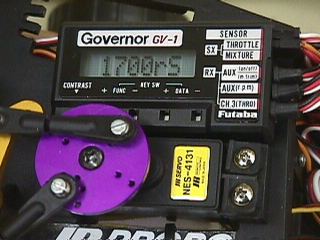 |
The following setup is for JR 10SXII and JR 10X transmitters only. After trying several different options, I settled on having the governor off in Normal mode, and on when in Idle-up 1 and Idle-up 2. The old throttle curves should be left ‘as is’ in case the GV-1 fails – it’ll revert back to your normal curves.
This setup also uses your Gear switch to turn the governor on and off (you’ll probably never need to use this switch).
Receiver Setup
1) Plug the GV-1 into the Gear channel.
GV-1 Setup
1) Set the gear ratio to match the heli.
2) From the LMT screen, set the Idle, full throttle and idle cut-off.
3) Make sure that the sensitivity (SEN screen) on the pick-up is above 60% - it’s easy to get the full 97%.
Transmitter Setup
1) Remove ALL throttle mixes (elevator, rudder, aileron)
2) Go to program mix 51. Set it for Gear à Gear.
- Flip the Gear switch to notice the vertical line switching from left to right.
- Put the switch in the position where the vertical line is on the left side and raise the point all the way to the top.
- Put the switch in the position where the vertical line is on the right and lower the point to close to the bottom.
- Page to the next screen and enable this in Idle-up 1 only.
3) Go to program mix 52. Set it for Gear à Gear.
- Set this just like mix 51, except enable this
one in Idle-up 2 only
4) From the governor’s SWCD screen, flip the transmitter’s flight mode switch to all three positions (normal, idle-up1, idle-up 2) and make sure the governor is off in Normal mode and set to the correct head speeds in the idle-ups.
Flight Test
1) Go to your Throttle curve screen (18), and set the Idle-up 1 curve to
a more linear curve (like your Normal curve). This will allow you to test the governor
operation in step 2.
2) Do not put the heli into a hover. Simply spool it up on the ground to bring the
head speed up to approximately liftoff RPM. At this point, flip to Idle-up 1. Wait a few
seconds to let the governor kick in, then verify the governor actually has the throttle by
lowering the throttle stick and noticing that the head speed stays constant regardless of
the stick position.
3) Once you are convinced the governor is working properly, go back to the Throttle
curve screen and set the Idle-up 1 curve back to your normal ‘V’ curve. This
backs up the governor in case of governor failure.
Contact me at billludwig (at) fastmail.fm with any questions or comments.
~ Bill
Similar pages: